Live spectrum
Read the source in real time and make decisions against what you can actually hear.

 Dynamic EQ
Surgical when you need it. Effortless when you don’t. RDIO EQ is a fluid, precision dynamic equaliser built to make demanding mixes feel simple.
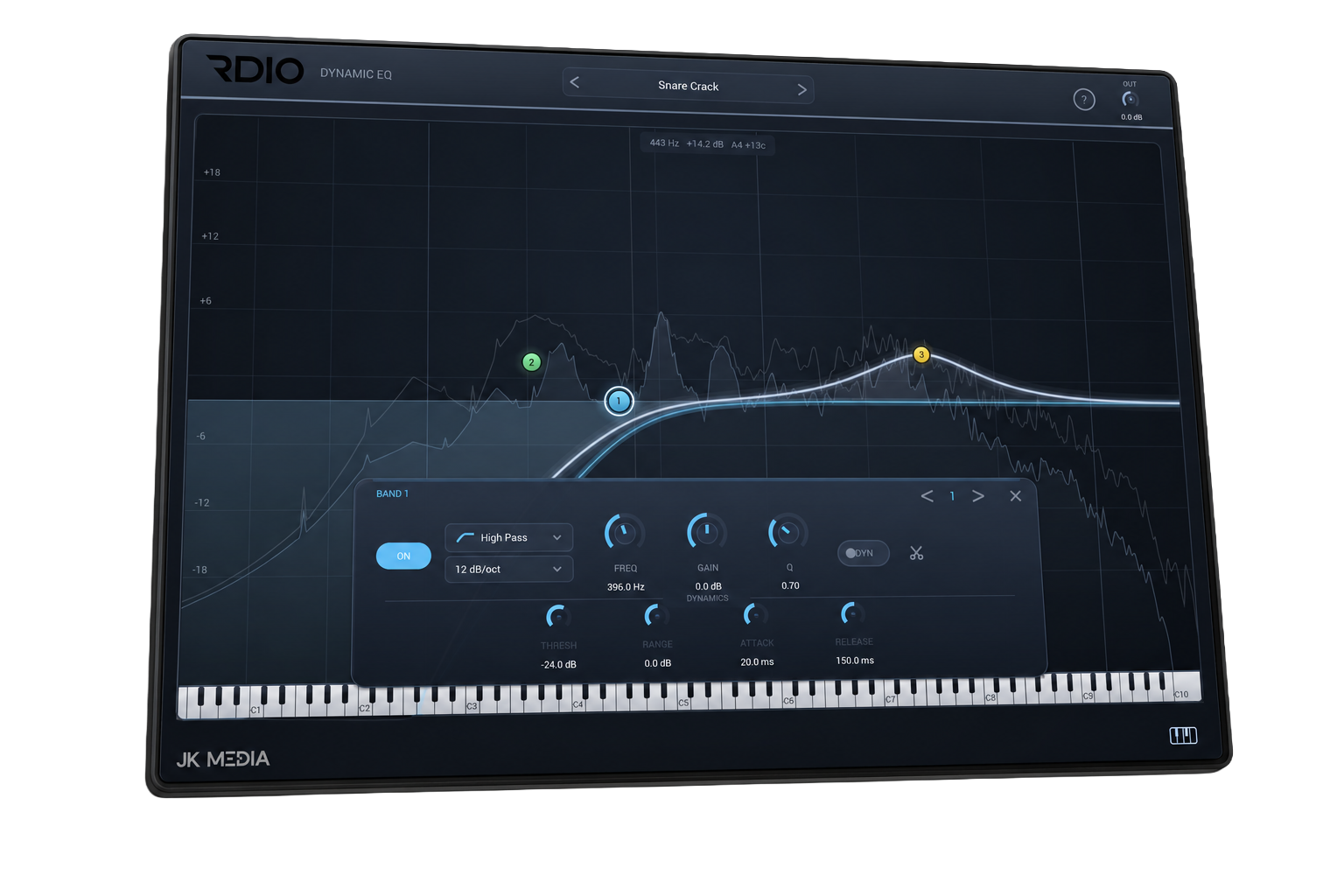
RDIO EQ keeps the graph at the centre of the experience. Add a band exactly where you hear a problem, shape it in place, then switch on dynamics when static EQ isn’t enough.
Click anywhere on the graph to add a point. Drag a point to shape the curve—just like the direct, tactile workflow inside RDIO EQ.
Turn any band into a dynamic band. Tame harshness when it appears, hold low-end in place when it builds up, or give a source space without hollowing it out all the time.
Read the source in real time and make decisions against what you can actually hear.
Threshold, range, attack and release exactly where the mix needs movement.
Create and shape bands on the graph instead of fighting through menus.
A piano roll makes frequency placement intuitive for tonal sources.
Build broad musical moves or precise corrective cuts with the shape and slope you need.
One window. The whole picture.
Pay once. Own your RDIO EQ licence. Keep using it without another bill landing next month—or next year.
There is nothing to cancel because there is no subscription.
Your licence does not expire at the end of the year.
The licence stays linked to your JK Media Creative account.
The practical details before you add RDIO EQ to your plugin folder.
RDIO EQ is a six-band dynamic equaliser plugin. Each band can make a static EQ move or react dynamically to the incoming audio using threshold, range, attack and release controls.
RDIO EQ provides six bands. Add points directly anywhere on the frequency graph, then adjust frequency, gain, Q, filter shape and dynamic behaviour.
RDIO EQ is supplied as a VST3 plugin for compatible DAWs on macOS and Windows. Installation and updates are handled through the free RDIO Hub.
No. RDIO EQ costs £69.99 as a one-time buyout purchase. There are no monthly charges, annual renewals or feature tiers.
Your perpetual RDIO EQ licence is linked to your JK Media Creative account. Sign into RDIO Hub with that account to install and manage the plugin.
Use it to control harshness only when it appears, tighten low-end when it builds up, manage resonances or create space without permanently cutting a frequency.
Dynamic EQ
Premium dynamic control without breaking your creative flow.